
The Myth of Physical Security
We have been trained to fear the digital. The suspicious email attachment. The sketchy website with the too-good-to-be-true offer. The pop-up warning that your computer is infected. We hover our cursors cautiously over links, scrutinizing URLs before clicking. We install antivirus software. We enable two-factor authentication. We construct elaborate mental threat models around malicious code and network intrusions.
But we plug in cables without a second thought.
The scenario is familiar to the point of mundanity. Your phone battery drops below ten percent. You are at the airport, in a coffee shop, at a conference, at a hotel. Panic sets in as you watch the percentage tick downward. You spot a charging station, a public USB port built into the wall or embedded in a table. Relief washes over you. You pull out your cable and plug in. Or perhaps you left your cable at home and you ask the stranger next to you if you can borrow theirs for a few minutes. They hand it over with a smile. You plug it in. Your phone begins charging. Crisis averted.
You have just potentially given a complete stranger full access to your device.
The mythology of physical security runs deep in human psychology. We trust tangible objects in ways we never trust digital entities. A cable is just a cable. A USB drive is just a storage device. These are passive objects. Dumb conduits for electricity and data. They do not execute code. They do not make decisions. They certainly do not harbor malicious intent.
This assumption is catastrophically wrong.
The cable is no longer a dumb wire. The USB stick is no longer simple flash storage. Modern hardware hacking has transformed innocuous physical objects into sophisticated attack vectors that bypass every digital security measure you have carefully constructed. Your firewall cannot stop a malicious cable. Your antivirus software cannot detect a weaponized USB device. Your security awareness training never mentioned that the charger itself could be the malware.
The psychological blind spot is exploited ruthlessly by attackers because it is universal. Security-conscious executives who would never click a suspicious link will plug a found USB drive into their corporate laptop out of curiosity. IT professionals who architect elaborate network defenses will borrow a charging cable from a conference attendee without hesitation. The physical world feels safe in ways the digital world never does.
But the physical and digital worlds have merged. That cable contains a microprocessor. That USB device runs an operating system. The charging port in the airport terminal has data transfer capabilities. Every physical connection is a digital interface, and digital interfaces can be weaponized.
The threat landscape has evolved beyond recognition, but human behavior lags dangerously behind. We have imported the convenience of universal connectivity into physical objects without importing the corresponding paranoia about trusting those connections. We treat hardware as trustworthy by default because it looks familiar, because it performs expected functions, because it lacks the obvious danger signals we associate with digital threats.
This trust is a vulnerability. And that vulnerability is being exploited at scale by adversaries who understand that the weakest link in your security posture is not your firewall or your password policy. It is your willingness to plug unknown hardware into your devices because you need a charge and the cable looks legitimate.
The cable looks legitimate because it is designed to look legitimate. The USB drive appears harmless because appearing harmless is the entire point. Welcome to the era of hardware-based exploitation, where the threat vector is something you can hold in your hand and the attack executes faster than human reaction time.
Meet the O.MG Cable: The Charger from Hell
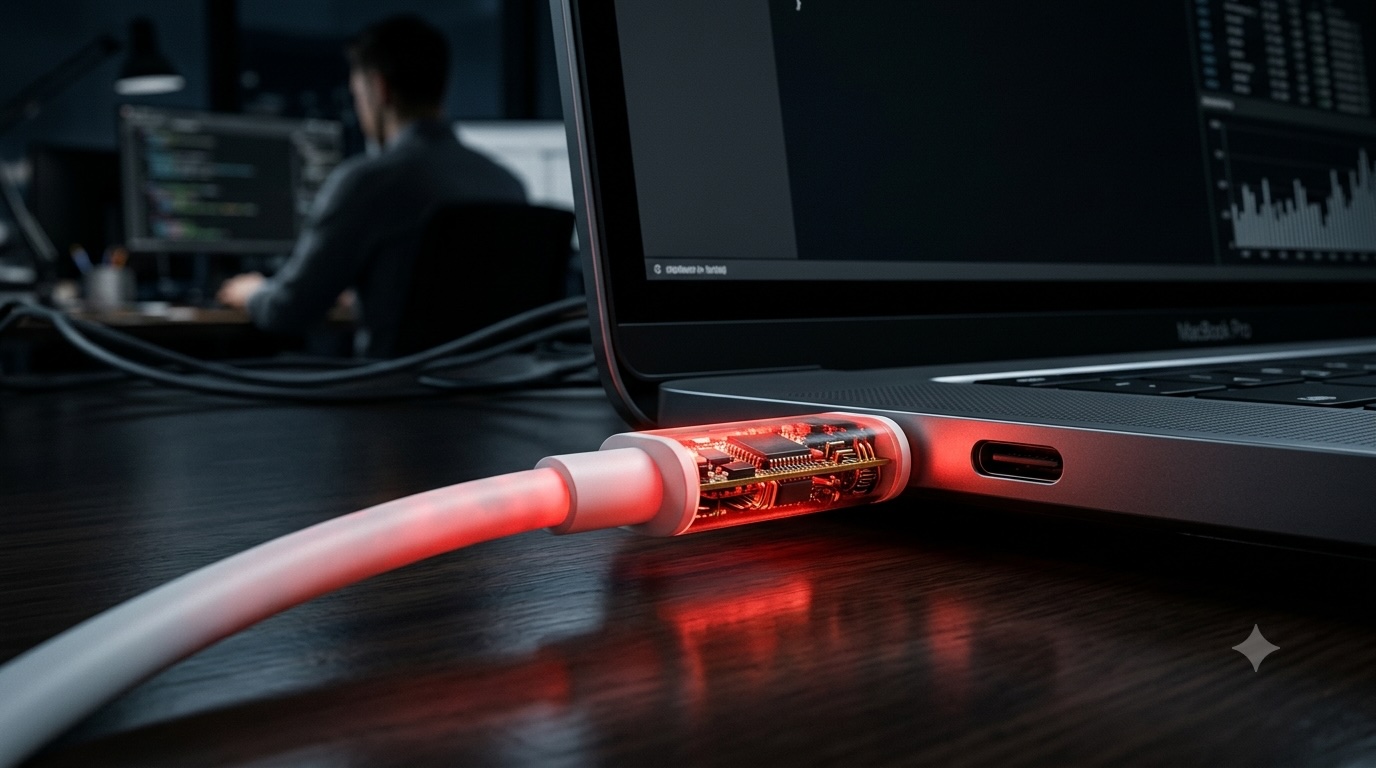
There is an object that looks identical to an Apple Lightning cable. Same white color. Same connector on each end. Same length and weight and texture. If you placed it next to a genuine Apple cable, you could not tell them apart with the naked eye. If you plugged it into your iPhone, it would charge your device perfectly. If you connected it to your MacBook, it would function exactly as expected.
But hidden inside the cable's plastic housing is a web server, a Wi-Fi radio, and a full payload delivery system capable of executing arbitrary commands on any device it connects to.
This is the O.MG Cable, created by security researcher Mike Grover and sold openly as a penetration testing tool. It represents a paradigm shift in hardware exploitation. The attack vector is not hidden in software. It is embedded in the physical cable you are using to charge your device.
The technical sophistication is remarkable. The cable contains an implant small enough to fit inside the standard cable housing without altering its external appearance or weight. This implant runs a custom firmware that creates a Wi-Fi access point. When you plug the cable into a device, the implant powers on. An attacker within Wi-Fi range can connect to this access point using a smartphone or laptop. They are presented with a web interface offering full control over the cable's capabilities.
From this interface, the attacker can trigger keystroke injection attacks. The cable impersonates a keyboard, typing commands at superhuman speed directly into your computer. These commands can download malware, exfiltrate files, create backdoor accounts, disable security software, or establish persistent remote access. The entire compromise can occur in seconds, faster than you could react even if you were watching it happen.
The psychological horror of this attack is the violation of the trust relationship between human and tool. You expect cables to be passive. They carry power and data according to your instructions. They do not have agency. They do not make autonomous decisions. The O.MG Cable shatters this assumption. The cable is making decisions. It is executing a programmed attack sequence. It has been given objectives by its controller and it is pursuing those objectives while sitting innocuously in your USB port.
The deployment scenarios are limitless and terrifying. A malicious cable left at a conference charging station. A cable swapped out during a hotel room cleaning. A cable gifted to a target as part of a social engineering campaign. A cable modified after purchase through supply chain interdiction. Once the cable is in your possession and you use it, the compromise is nearly inevitable.
The range of the Wi-Fi connection extends the threat beyond immediate physical proximity. An attacker does not need to be sitting next to you. They can be in the parking lot. In the adjacent hotel room. In a nearby building with a directional antenna. The cable creates a wireless bridge that extends their reach into your device without requiring line of sight or close proximity.
Variants of the O.MG Cable exist for virtually every connector standard. USB-C versions that work with modern Android devices and laptops. USB-A versions that target older equipment. Lightning versions for Apple devices. The attack is hardware-agnostic because it exploits fundamental trust relationships that exist across all computing platforms.
Detection is extraordinarily difficult. The cable functions normally under casual inspection. It charges devices. It transfers data when expected. There is no obvious behavioral anomaly that would alert a user to its malicious nature. Forensic examination might reveal the implant, but who performs forensic examinations on their charging cables?
The O.MG Cable is sold legally as a security research tool, and it serves legitimate purposes. Penetration testers use it to demonstrate hardware attack vectors to clients. Security researchers analyze it to develop detection methodologies. But the same technology that enables security research enables malicious deployment. The cable does not discriminate between authorized penetration tests and criminal attacks.
The knowledge that such cables exist forces a fundamental recalibration of trust assumptions. Every cable is potentially malicious until proven otherwise. That cable you borrowed from a colleague could be compromised. That cable you found in your hotel room could be planted. That cable you purchased from a third-party seller online could be a modified version containing an implant.
The threat extends beyond individual targeting. Consider the implications of deploying malicious cables at scale. Hundreds of modified cables distributed at a major technology conference. Dozens of cables swapped into charging stations at a busy airport. A shipment of cables interdicted during transit and modified before reaching retail customers. The potential for widespread compromise is staggering.
And this is just one hardware attack vector. The O.MG Cable represents a category of threat, not an isolated phenomenon. Once you understand that cables can be weaponized, you begin to see weaponization potential in every piece of hardware you interact with.
The charger from hell looks exactly like every other charger. That is the point. That is what makes it so effective. That is why it works.
The Rubber Ducky: The 3-Second Keystroke Nightmare
There is a universal truth in computer security that creates an inescapable vulnerability: computers trust keyboards. When you type on your keyboard, the computer assumes those keystrokes represent your legitimate intentions. There is no authentication. No verification. No secondary confirmation that you, the authorized user, are the entity pressing the keys. The keyboard says to type something, and the computer types it.
This trust relationship is fundamental to how human-computer interaction works. It cannot be removed without destroying usability. And it can be exploited with devastating efficiency by devices that impersonate keyboards while executing malicious payloads at speeds impossible for human fingers.
The USB Rubber Ducky is the most famous example of this attack class. Developed by Darren Kitchen and the Hak5 team, it looks like an ordinary USB flash drive. Small. Plastic. Unremarkable. The kind of promotional USB stick companies give away at trade shows. But it does not contain flash storage. It contains a microcontroller programmed to emulate a keyboard.
When you plug a Rubber Ducky into a computer, the operating system sees a keyboard connecting. It loads the appropriate drivers automatically. It trusts the device implicitly because keyboards are trusted peripherals. There is no malware to scan. No executable file to analyze. The device identifies itself as a Human Interface Device, and that identification is sufficient to grant it immediate access.
Then it starts typing.
The Rubber Ducky executes pre-programmed keystroke sequences at speeds approaching one thousand words per minute. It can open command prompts, disable security software, download malware payloads, create administrator accounts, exfiltrate files, establish remote access, and cover its tracks, all in the time it takes you to walk back to your desk after plugging it in.
The attack scenarios are limited only by imagination and scripting ability. A Rubber Ducky left in a corporate parking lot with a label reading "Employee Salary Information" exploits curiosity. Someone will plug it in. Guaranteed. Human nature is predictable. And that moment of curiosity becomes a network compromise.
The script executes faster than conscious observation. You see command windows flickering open and closed. You see text scrolling too quickly to read. By the time you register that something is wrong and reach for the device to unplug it, the payload has already executed. The malware is already running. The backdoor account is already created. The Rubber Ducky has accomplished its mission in three seconds.
The versatility of the attack platform is extraordinary. Scripts can be tailored to specific targets or designed for broad compatibility. A script might check the operating system and execute different payloads for Windows versus macOS versus Linux. It might enumerate installed security software and adapt its behavior accordingly. It might establish persistence through multiple mechanisms to survive system reboots and security scans.
The social engineering vectors are numerous and effective. A USB drive left on the subway labeled "Private Photos." A promotional USB stick handed out at a conference preloaded with malware instead of marketing materials. A USB device mailed to a target disguised as a gift or sample product. Once the device is physically in the target's possession, the probability of insertion increases dramatically. Humans are curious. We plug things in to see what they contain.
The payload variety is limitless. Keystroke injection can accomplish anything a human sitting at the keyboard could accomplish, but faster and more reliably. It can bypass air-gapped networks by attacking the human bridge. It can defeat sophisticated network security by operating entirely within the legitimate user's session. It does not need to exploit software vulnerabilities because it exploits the fundamental trust relationship between user and input device.
Detection is problematic. The device appears as a legitimate HID. It does not trigger antivirus alerts because it is not running executable code from storage. It is generating keystrokes, which is exactly what keyboards are supposed to do. Some endpoint detection systems can identify suspiciously rapid keystroke sequences, but many cannot. And even systems that can detect the attack may not respond quickly enough to prevent the payload execution.
The Rubber Ducky spawned an entire ecosystem of similar devices. The Bash Bunny, which can impersonate multiple device types simultaneously. The LAN Turtle, which provides network access through what appears to be a USB Ethernet adapter. The O.MG Plug, which hides keystroke injection capabilities inside what looks like a USB charging adapter. Each variant exploits the same fundamental vulnerability: computers trust connected peripherals.
The defensive posture against these attacks is complex. You cannot disable USB ports on most modern computers without crippling functionality. You cannot prevent all HID connections without making keyboards unusable. You can implement security policies that restrict what can be executed from user sessions, but sophisticated payloads can work within those constraints. You can educate users not to plug in unknown USB devices, but social engineering defeats education with depressing reliability.
The broader implication is that physical access equals total compromise when dealing with devices that exploit trusted hardware relationships. If an attacker can get a Rubber Ducky into your USB port for ten seconds, they can own your machine. The speed of execution makes interruption nearly impossible. The keystroke injection method bypasses most security controls. The attack surface is the USB port itself, which must remain available for legitimate use.
The parking lot scenario remains one of the most effective deployment methods. Attackers purchase dozens of cheap USB drives. They flash them with Rubber Ducky firmware and malicious payloads. They label them with enticing descriptions. They scatter them in parking lots outside corporate headquarters, government buildings, universities, and technology companies. Then they wait.
Someone always plugs one in. Curiosity is hardwired. The desire to return a lost device to its owner is altruistic. The assumption that plugging in a USB drive to check its contents is safe is pervasive. And that moment of plugging in is the moment of compromise.
The 3-second keystroke nightmare is not theoretical. It is deployed in the wild by everyone from penetration testers to cybercriminals to state-sponsored actors. The simplicity of the attack makes it accessible. The effectiveness makes it attractive. The difficulty of defense makes it persistent.
Your computer trusts keyboards. A BadUSB is a keyboard that does not deserve that trust. And once it is plugged in, the trust has already been granted and the damage has already been done.
Juice Jacking: The Airport Charging Station Trap
You are in an airport. Your flight has been delayed. Your phone battery is at five percent. You spot a charging kiosk with multiple USB ports and a helpful sign encouraging travelers to charge their devices while waiting. You plug in your phone. A prompt appears on your screen: Trust This Computer? You tap Yes. You need the charge. The prompt seems routine.
You have just potentially granted a malicious charging station full access to your device.
This is Juice Jacking, a portmanteau of juice meaning power and hijacking meaning unauthorized takeover. The attack exploits the fact that USB cables carry both power and data on the same physical connection. When you plug your phone into a USB port, you are not just connecting to a power source. You are establishing a data connection to whatever system controls that port.
Public charging infrastructure has proliferated across airports, hotels, shopping malls, conference centers, and transportation hubs. These charging stations are convenient. They are free. They are necessary for travelers whose devices are dying. And they represent a largely unregulated attack surface that combines public access with data transfer capability.
The modification required to convert a legitimate charging station into a malicious one is surprisingly simple. An attacker needs physical access to the kiosk, which maintenance workers and cleaning staff often have. They connect a small computer between the charging ports and the power supply. This computer can run data extraction software, malware injection tools, or simply log all data transferred across the connection. The modification is internal and invisible to users.
When you plug your device into a compromised kiosk and approve the Trust This Computer prompt, you grant that computer access to your file system, your photos, your messages, your contacts, and potentially your credentials stored in apps. The charging process becomes a data exfiltration opportunity. While your phone charges, malware can be installed. While you sit checking email, your personal information is being copied to an attacker's storage.
The Trust This Computer prompt exists for legitimate reasons. It prevents arbitrary devices from accessing your data without your consent. But in the context of public charging, users routinely click through this prompt because they assume the charging station is trustworthy infrastructure, equivalent to a power outlet. This assumption is the vulnerability.
The psychological dynamics favor the attacker. Your phone is dying. You need the charge desperately. The prompt appears asking for trust. You are in a hurry. The decision to trust is made under cognitive load and time pressure. You tap Yes without considering the implications because the alternative is a dead phone and that consequence seems more immediate and threatening than the abstract possibility of data theft.
The scale of potential deployment is vast. Every public USB charging port is a potential attack vector. An attacker with physical access could modify dozens of charging stations in a single airport. Those modifications could persist for weeks or months before detection, compromising thousands of devices. The victims would have no indication that anything malicious occurred until they discovered fraudulent transactions or identity theft much later.
The data accessible through a trusted connection is comprehensive. Text messages that might contain two-factor authentication codes. Photos that might include sensitive documents photographed for reference. Email containing confidential business information. Stored passwords in browsers and apps. Calendar entries revealing your schedule and location. Contacts that could be used for further social engineering attacks.
The malware injection capability is equally concerning. A sophisticated Juice Jacking attack does not just steal data. It installs persistent malware that survives beyond the charging session. This malware might activate the camera and microphone for surveillance. It might log keystrokes to capture passwords. It might create a remote access backdoor allowing the attacker to control the device from anywhere in the world.
The defensive awareness around Juice Jacking has increased in recent years, but public behavior has not changed commensurately. Security researchers demonstrated the attack years ago. Law enforcement agencies have issued warnings. Yet travelers continue plugging into public USB ports because the need for charge overrides security caution. Convenience defeats paranoia.
The regulatory environment provides no protection. There are no standards for securing public charging infrastructure. No certification process. No inspections. No liability for operators who provide compromised charging stations. The infrastructure exists in a security vacuum where anyone with physical access can modify it without oversight.
The geographic distribution of public charging infrastructure means you encounter these potential attack vectors constantly. The kiosk in the airport terminal. The charging table at the hotel breakfast area. The USB ports in the rental car. The charging station at the conference venue. Each one is a potential threat. Each one requires a trust decision. And the cumulative probability of eventually connecting to a compromised port increases with every connection.
The targeted deployment scenarios are particularly concerning. An adversary interested in corporate espionage could modify charging stations in airports serving technology hubs. They could compromise kiosks in hotels frequented by executives. They could target charging infrastructure at industry conferences. The victims would be high-value targets making routine charging decisions in trusted-seeming environments.
The attack has evolved beyond theoretical demonstration. Security conferences have shown working Juice Jacking setups. Researchers have documented the data accessible through trusted connections. Law enforcement has warned about malicious charging stations found in the wild. The threat is real and actively exploited.
The Paranoia Protocol: Defending Your Hardware
The threat landscape is unforgiving. Malicious cables. Weaponized USB drives. Compromised charging infrastructure. The attack vectors are physical, the execution is rapid, and the defensive options are limited. But surrender is not an option. You can implement a defensive protocol that dramatically reduces your exposure to hardware-based attacks.
This is your paranoia protocol. A set of non-negotiable rules for interacting with hardware in a hostile world.
Rule one: never plug unknown hardware into your devices. This seems obvious until you consider how often it is violated. The USB drive found in the parking lot. The promotional flash drive from the conference vendor. The cable borrowed from a stranger. Each one is a potential attack vector. The curiosity that drives you to check the contents of a found USB drive is a vulnerability. Suppress it. If you did not purchase the hardware yourself from a trusted source, do not connect it to your devices.
Rule two: use a USB data blocker for all public charging. A USB data blocker, sometimes called a USB condom or juice jack defender, is a small adapter that sits between your cable and the charging port. It physically disconnects the data pins while allowing power pins to pass through. This means electricity can flow to charge your device, but no data transfer is possible in either direction. The charging port cannot access your device. Your device cannot be compromised. These adapters cost less than ten dollars. Carry one in your laptop bag and one in your travel kit. Use them religiously at airports, hotels, and any public charging infrastructure.
Rule three: carry your own power bank. A portable battery pack eliminates the need to use public USB ports entirely. Modern power banks are compact, affordable, and can fully charge a smartphone multiple times. Keep one charged and in your bag. When your phone battery drops, plug into your own power bank using your own cable. You control both ends of the connection. No trust decisions required. No data exposure. No vulnerability.
Rule four: when public charging is unavoidable, use AC power outlets with your own wall adapter. AC outlets provide only electrical power. They have no data transfer capability. Your phone's wall charger connects to the AC outlet and converts AC to DC for charging. The connection is purely electrical. No data pins. No trust prompts. No compromise opportunity. AC outlets are significantly safer than USB ports.
Rule five: never approve Trust This Computer prompts on public charging infrastructure. If you must use a public USB port and your device prompts you to trust the connection, decline. Your device will charge more slowly using power-only mode, but it will charge. The slower charging speed is vastly preferable to granting data access to an unknown system. If your device does not charge without approving the trust prompt, unplug and find an AC outlet instead.
Rule six: inspect hardware before connecting it. This applies particularly to cables. Examine them for signs of modification. Unusual weight. Bulges in the housing. Connector housings that do not quite match the expected appearance. These are not foolproof detection methods, sophisticated implants are well-hidden, but basic visual inspection can identify crude modifications. Trust your instincts. If a cable looks wrong, do not use it.
Rule seven: maintain chain of custody for your cables and chargers. Know where your charging equipment came from. Purchase directly from manufacturers or authorized retailers, not from third-party sellers on marketplaces where supply chain interdiction is possible. Keep your cables in your possession. Do not leave them in hotel rooms or offices where they could be swapped for modified versions. Mark your cables with distinctive identifiers so you can verify they are yours.
Rule eight: implement USB port security policies on your computers. Many operating systems and enterprise security tools allow you to restrict what types of devices can connect to USB ports. You can configure policies that allow keyboards and mice but block storage devices. You can whitelist specific devices by hardware ID. You can disable USB ports entirely when they are not needed. These policies reduce the attack surface by preventing unauthorized device classes from connecting.
Rule nine: use USB port locks on sensitive computers. Physical port blockers are small devices that insert into USB ports and lock in place, preventing anything from being plugged in without the key. For computers in semi-public environments or situations where someone might have momentary physical access, port locks eliminate the risk of drive-by Rubber Ducky attacks. When you need to use the port, unlock it. When you are away from the machine, lock it down.
Rule ten: educate yourself and others about hardware attack vectors. Security awareness training focuses overwhelmingly on phishing and social engineering delivered through digital channels. It rarely addresses hardware threats. People need to understand that USB drives are potential malware delivery systems. That cables can be weaponized. That public charging infrastructure is an attack surface. Awareness changes behavior. When people understand the threat, they make different choices about what hardware they trust.
Rule eleven: assume breach and implement defense in depth. Even with perfect paranoia protocol adherence, compromise is possible. Sophisticated attackers can defeat physical inspection. They can create modified hardware that is indistinguishable from legitimate devices. Therefore, implement layered defenses on your devices. Full disk encryption ensures that data exfiltration through a trusted connection still yields encrypted data. Regular backups ensure that malware can be removed by restoring to a known-good state. Endpoint detection and response software can identify anomalous behavior even when the initial infection vector bypassed traditional defenses.
Rule twelve: conduct regular hardware audits. Periodically inventory the devices connected to your computers and network. Verify that all peripherals are authorized. Check for unknown USB devices in Device Manager or System Information. Examine the physical ports on your computers for devices that should not be present. A keylogger planted in your USB keyboard connection. A network tap on your Ethernet cable. These physical implants can persist for months if not actively searched for.
The paranoia protocol requires lifestyle changes. It means carrying extra equipment. It means declining convenient but risky options. It means accepting slower charging speeds and less convenience in exchange for security. It means viewing the physical world through the same threat lens you apply to the digital world.
This is the cost of security in an age where hardware is no longer trusted by default. The cable is potentially malicious. The USB drive is potentially weaponized. The charging station is potentially compromised. Every physical connection is a trust decision, and trust is a vulnerability.
The convenience of universal connectivity came without the corresponding security architecture to make that connectivity safe. We connected everything before we secured anything. Now we live with the consequences. Hardware that betrays us. Peripherals that attack us. Infrastructure that surveils us.
But you are not helpless. You can refuse to plug in unknown devices. You can interpose data blockers between your devices and public infrastructure. You can carry your own power. You can decline trust prompts. You can inspect hardware. You can implement policies. You can remain vigilant.
The threat is real. The attacks are deployed in the wild. The victims are numerous and growing. But the defensive tools exist. The knowledge is available. The protocols are actionable.
The question is whether you will implement them. Whether you will carry a data blocker. Whether you will decline that borrowed cable. Whether you will walk past the convenient charging kiosk and find an AC outlet instead. Whether you will suppress your curiosity about the USB drive in the parking lot.
Security is inconvenient. Paranoia is exhausting. But compromise is catastrophic.
The choice is yours. The cable in your hand could be just a cable. Or it could be a weapon aimed at your digital life, waiting for you to complete the attack by plugging it in.
Choose carefully.